Haptic Wayfinding
Navigation with haptic feedback from a phone and smartwatch
Role: Graduate Researcher · Timeline: September 2019 — April 2022 · Supervisor: Vincent Levesque
At a glance
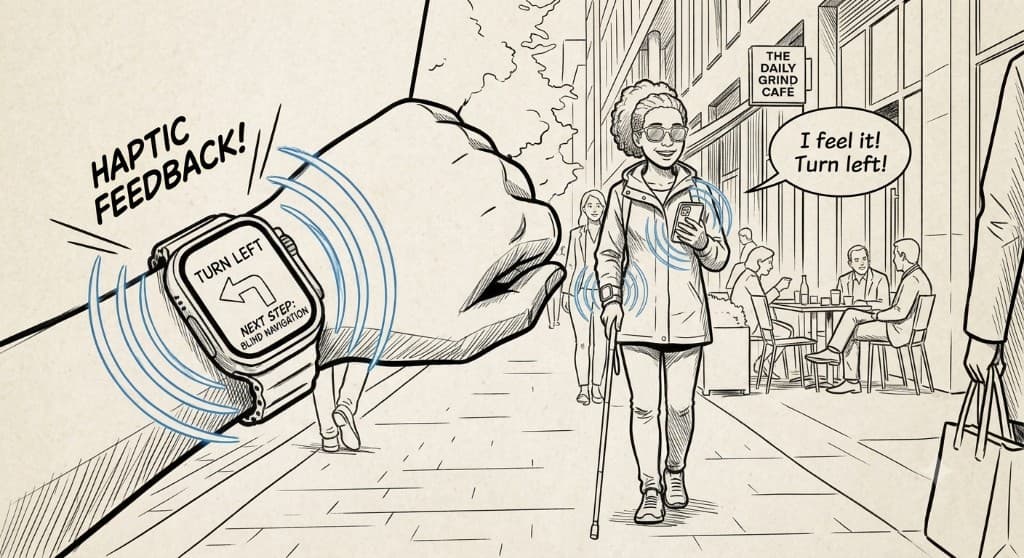
A two-and-a-half-year graduate thesis asking a simple question: can the phone and smartwatch people already carry guide them through space using touch alone?
- Problem
- Turn-by-turn navigation depends on visual attention. That creates barriers for blind and visually impaired users, and unsafe moments for cyclists, drivers, and pedestrians in harsh weather.
- Objective
- Design and test directional haptic patterns across a mobile phone and smartwatch that users can interpret without visual cues.
- Role
- Owned the full research arc: empathy, interviews, benchmark studies, focus groups, ideation, prototyping, user testing, analysis, and iteration.
- Outcome
- Explicit bilateral vibration patterns reduced directional error from 27% to 3% after training and outperformed Apple Watch rhythms in clarity testing.
Key outcome
27% → 3%
Directional error rate after training
28
Participants across three experiments
8
Vibration patterns designed and tested
Phase 1 — Discovery & Empathy
My role
I led empathy work through interviews, benchmark studies, and focus groups to understand when screen-based navigation breaks down in everyday life.
The research started from one observation: following a map means looking at a device, and that is not always safe or possible.
Who this affects
Blind & visually impaired users
Cannot rely on visual maps and need wayfinding that works through touch.
Cyclists & motorcyclists
Need their eyes on the road, not on a handlebar-mounted screen.
Drivers
Cannot safely glance at a phone while navigating in traffic.
Pedestrians in winter
Cold hands, gloves, and screen failure make visual navigation unreliable.
User research
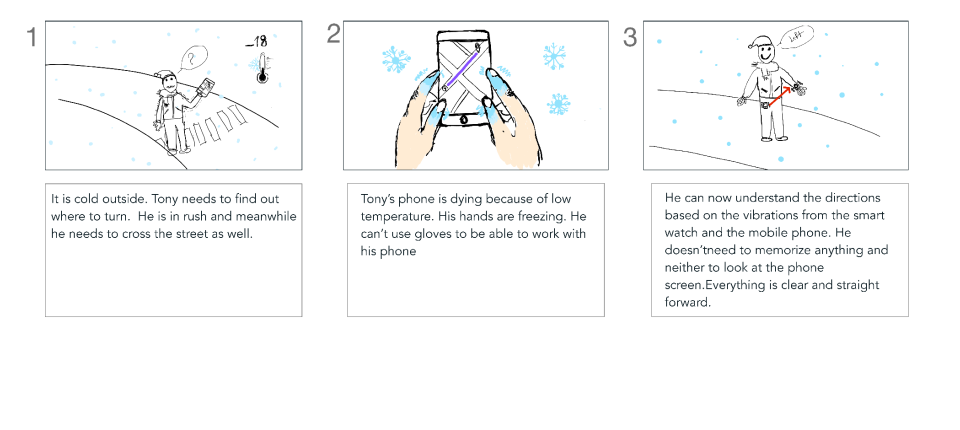
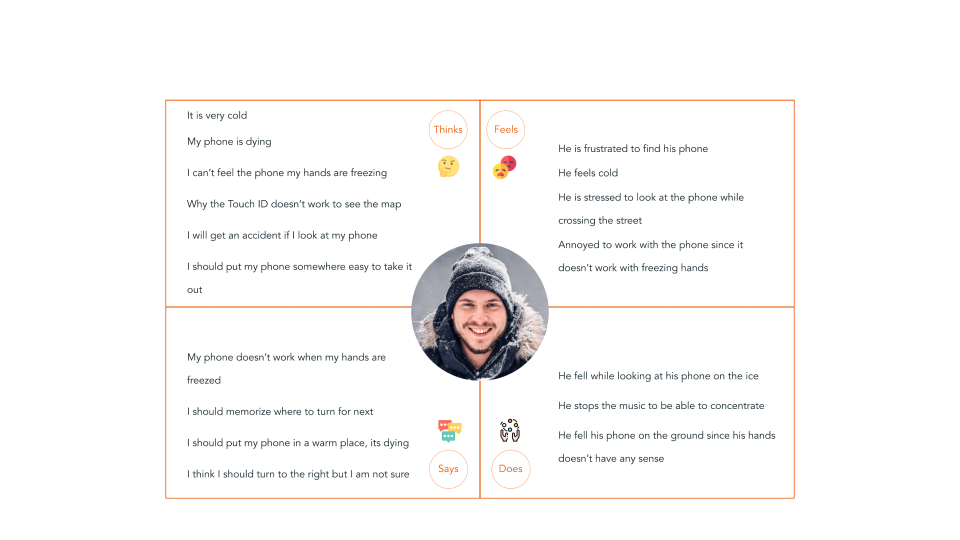
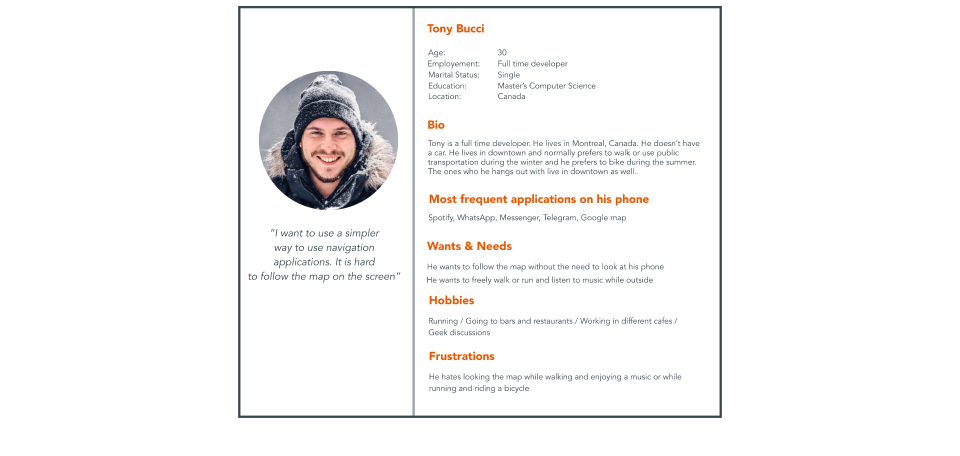
A storyboard, empathy map, and persona helped us frame the problem through one scenario: navigating in cold weather when the phone is dying, gloves block the screen, and looking down is unsafe.
What we heard
“I can have my phone in hand, but it's very dangerous crossing the street, especially in winter Canada. I really want something that tells me where to go without looking at it.”
“When I feel lost, a vibration that keeps me from going the wrong way would be perfect. When I am crossing a street, I don't want to look at my phone.”
Benchmark studies
We reviewed existing haptic navigation approaches to understand what people already use and where those models fall short.
Apple Watch
Uses distinct rhythms on the wrist only. Participants found these patterns hard to memorize and apply on busy streets.
Way Band
Vibrates only when the user walks the wrong direction. Requires a dedicated wearable and repeated errors before correction.
Phase 2 — Ideation
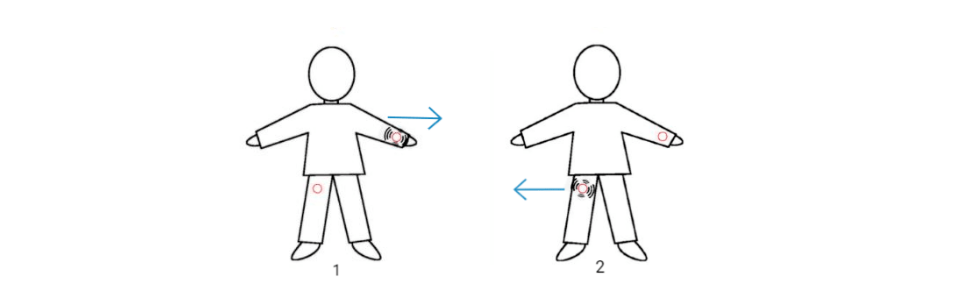
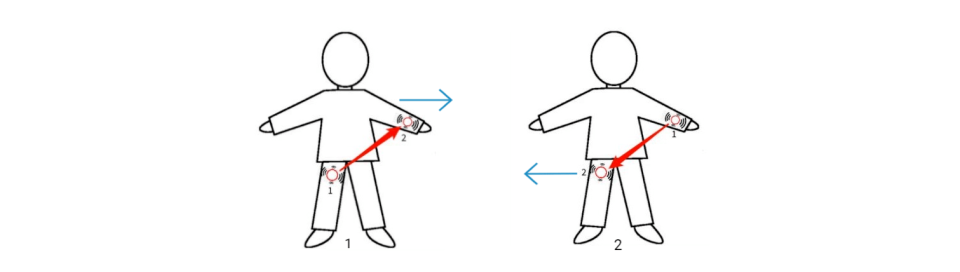
Instead of asking people to buy a dedicated wearable, we explored a two-device model using tools they already carry: a phone and a smartwatch. Direction would be communicated through coordinated vibration between them.
Implicit vibrations
Buzz on one side of the body relative to the other device or the body's center. Two patterns mapped left and right turns to which side vibrated.
Explicit vibrations
Sequenced patterns that feel like motion jumping from one device to the other, creating an arrow-shaped sensation on the body. Six bilateral patterns were designed because the sequence alone carries directional meaning.
Phase 3 — Prototyping
My role
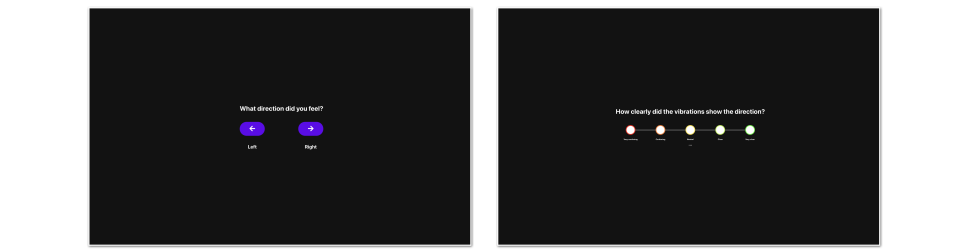
I designed the data collection interface in Adobe XD, built the research hardware setup, and ran all participant sessions.
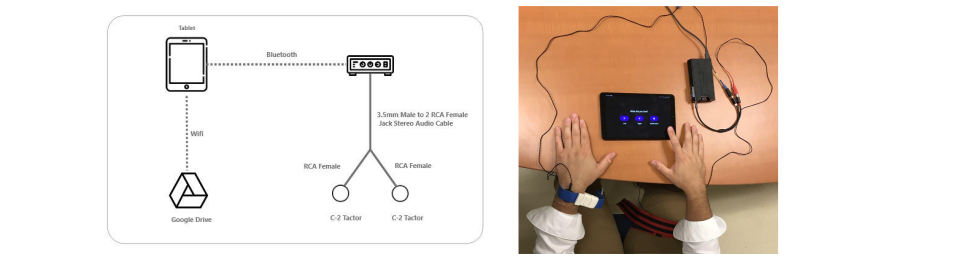
To test vibration patterns with precision, we built a hardware setup using two actuators, an amplifier to control intensity, and a tablet running a custom web application.
How sessions worked
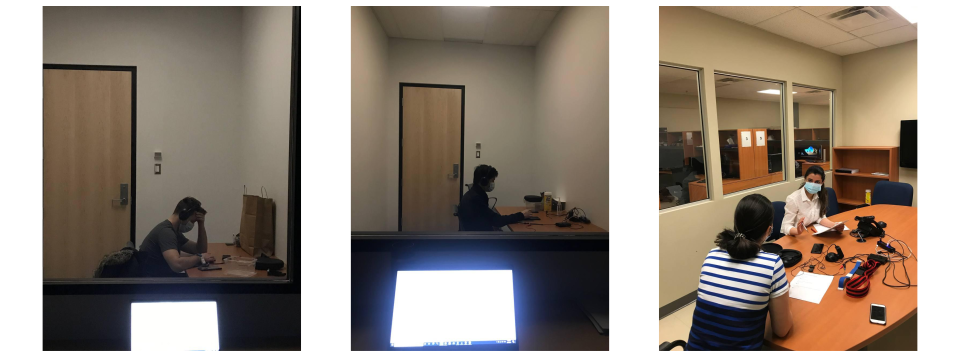
- Participants received directional vibrations and identified left, right, or unclear.
- They rated how clearly each pattern communicated direction.
- A researcher observed live results from a separate room behind glass.
- Sessions ended with a semi-structured interview for qualitative feedback.
From design to build
Pixel-perfect specs from Adobe XD were handed off for development into a working research tool on the tablet.
Phase 4 — Testing
Three experiments tested pattern understanding without training, the effect of instruction, and performance under real-world distractions.
Experiment 1: Without training
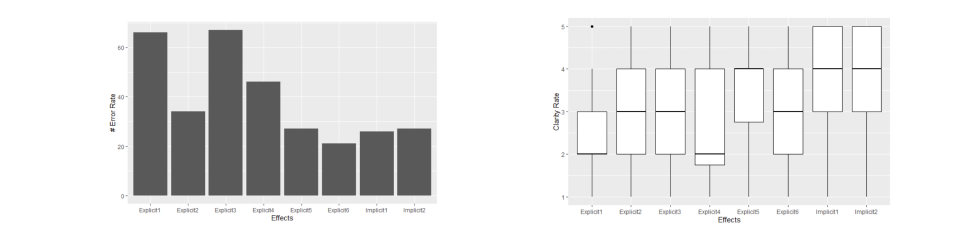
Twelve participants tested all vibration patterns with no prior instruction. We measured which patterns were clearest and which to carry forward.
Directional error rate
27%
Some patterns scored well on clarity, but error rates stayed high without training. Instructions were necessary.
Experiment 2: With training
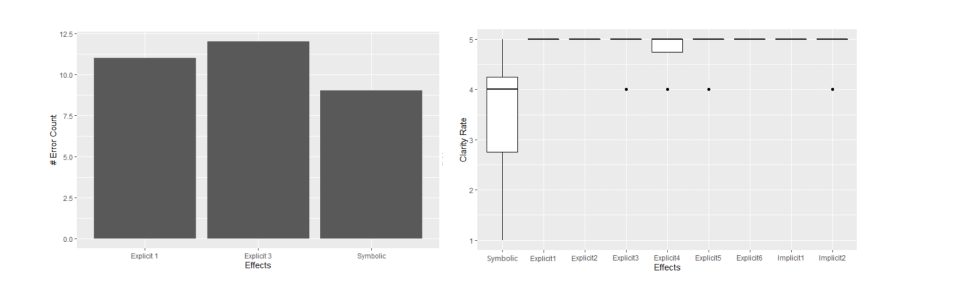
Eight participants received instruction before each pattern. We also compared our designs against Apple Watch navigation vibrations.
Directional error rate
27%to3%
Training dramatically reduced errors. Apple Watch patterns ranked as the most confusing.
Experiment 3: Real-world conditions
Eight participants navigated with added distractions: a game simulating street noise and movement, plus typical notification vibrations from messages.
Explicit patterns held up
Performed better under distraction than in earlier tests.
Implicit patterns blurred with notifications
Showed direction well but were harder to distinguish from message vibrations.
Apple Watch remained weakest
Rhythm-based wrist-only patterns were still the hardest to interpret.
What we learned
Key outcome
Through iterative testing, we narrowed a large set of vibration effects to a small number of patterns that users could reliably interpret after brief training.
Explicit bilateral patterns were clearest
Sequenced vibrations across two devices communicated direction better than wrist-only rhythms.
Training is essential
Without instruction, even well-designed patterns produced high error rates.
Explicit patterns survive distraction
Under realistic noise and notification interference, explicit patterns outperformed alternatives.
No new hardware required
A phone and smartwatch pairing avoids asking users to buy a dedicated navigation wearable.
My learning
I learned how to run generative research from a blue-sky idea all the way to a validated solution for a real usability problem, while staying open and avoiding bias along the way.
This thesis gave me the chance to own the full arc: empathy, ideation, hardware prototyping, and three rounds of testing with real participants. It showed me how abstract haptic concepts become usable patterns only when you test, train, and iterate with people in the loop.